Prerequisites
FastStats
This guide covers installing Orbit into an existing FastStats Enterprise environment. Orbit requires an existing, working FastStats Web Service running over IIS with SQL Server.
Note
To share a FastStats storyboard as a Collection in Orbit, you must select the Apteco.Discoverer.Plugins.Storyboard plugin enabled checkbox on the Plugins tab. To do this, open the FastStats Configurator > Web Service > General tab > Client Configuration > select the Discoverer system > Edit > Plugins.
Web server system requirements
Microsoft .NET Framework V4.6.2 minimum.
Note
In Registry Editor, open HKEY_LOCAL_MACHINE\SOFTWARE\Microsoft\.NET Framework Setup\NDP. The NDP subkey lists installed versions (Ver4 > Client node).
This ensures that the Orbit Updater works with Transport Layer Security (TLS) 1.2: https://dotnet.microsoft.com/en-us/download/dotnet-framework
SQL Server (2008 R2 or later)
The Orbit API requires access to an SQL Server. You must have administration rights to make the necessary changes.
Test outbound connection
The FastStats Orbit Updater service retrieves and installs the Orbit web application and Orbit API from Apteco's publicly available update server.
Use a browser on the server where you plan to install Orbit to test the outbound connection:
https://orbit.apteco.com/FastStatsOrbitUpdateServer/nuget/
Accessing this address should return the following XML:
<?xml version="1.0" encoding="UTF-8"?>
<service xmlns="http://www.w3.org/2007/app"
         xmlns:atom="http://www.w3.org/2005/Atom"
         xml:base="https://orbit.apteco.com/FastStatsOrbitUpdateServer/nuget/">
    <workspace>
        <atom:title>Default</atom:title>
        <collection href="Packages">
            <atom:title>Packages</atom:title>
        </collection>
    </workspace>
</service>
Note
If you don't see this response, firewall rules may be blocking access to Apteco. The install won't work without this connection.
ASP.NET Core Hosting Bundle
-
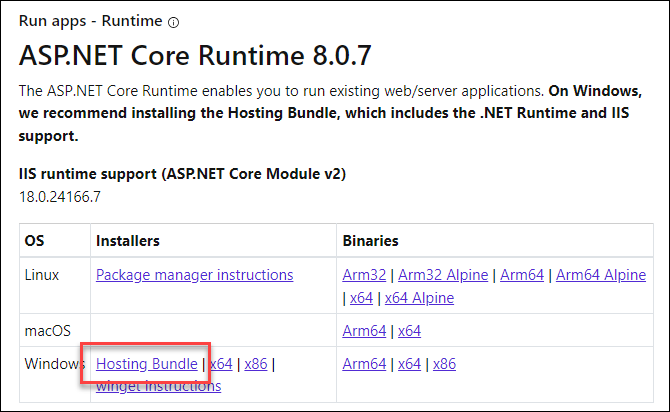
Download the Windows Hosting Bundle from:
https://dotnet.microsoft.com/en-us/download/dotnet/8.0
-
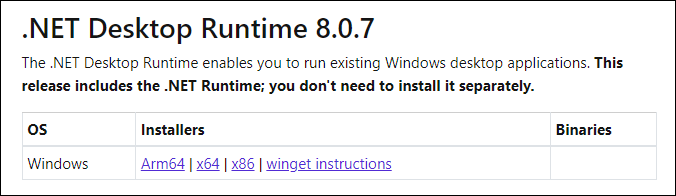
Install the .NET Desktop Runtime from the same page.
For further detail, see the ASP.NET Core 8 requirement.
IIS URL Rewrite Module 2.1
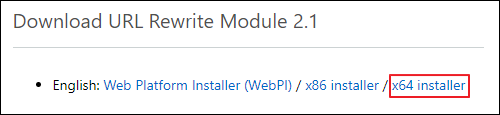
The IIS URL Rewrite module is available from the IIS downloads site. Choose x86 or x64 depending on your operating system.
https://www.iis.net/downloads/microsoft/url-rewrite#additionalDownloads