Creating an audience
Create a new audience to build a group of contacts for your marketing campaigns and analysis.
Create a new audience
To create a new audience:
- Go to Audiences.
-
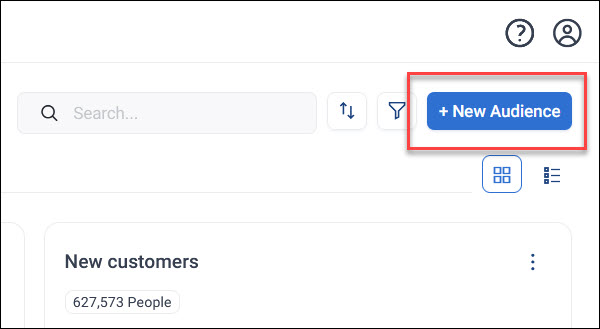
Click + New Audience.
-
Enter a meaningful name for your audience.
- Click Create.
Your audience opens on its Audience tab, ready for you to build. See Building an audience.
Add your first page
Once your audience is created, add a page to analyse, visualise, or export it:
- Click + New Page.
-
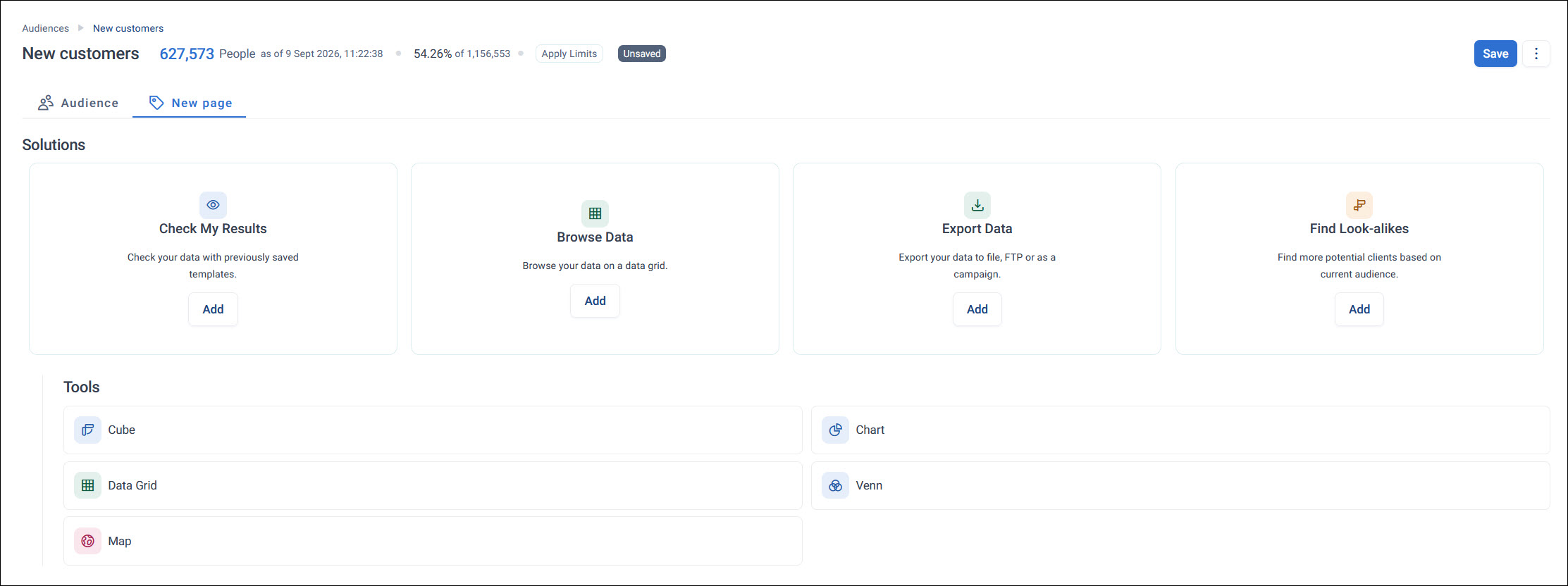
Choose a Solution or Tool, such as Browse Data or Data Grid.
-
Configure the page using your data.
See Audience workbooks for the full range of pages available and how they work.
Example
A stewardship officer creates a "Lapsed Donors" audience, then adds a Data Grid page to browse the underlying records before exporting them for a reactivation mailing.
You're ready to build out your audience and use it in campaigns and analysis. See Using audiences for how to manage and organise your audiences once you've created them.