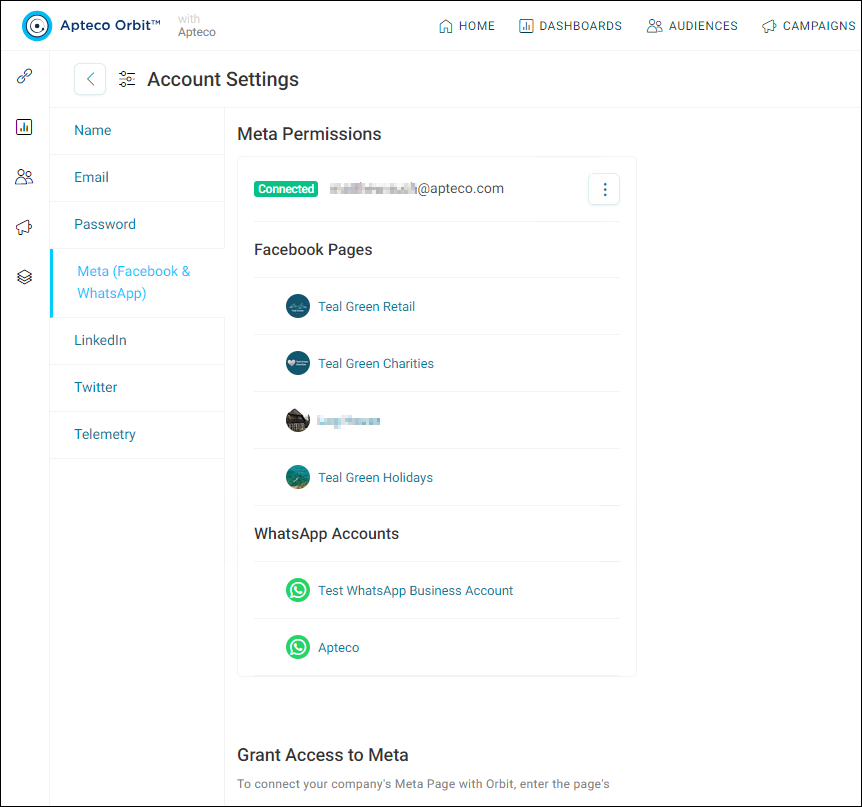
Meta token generation
For Apteco to be able to connect to Meta, including WhatsApp, Orbit needs to generate Meta tokens.
Orbit API Configurator
If using the Apteco Meta API App and the system has Orbit configured, you can generate the Meta tokens through Orbit.
To configure the Orbit API Configurator:
- In the API tab, select Open API Configurator.
-
Under the General tab, use Orbit options to check that the Facebook Token Generation Base URL field contains
https://tokens-service.integrations.apteco.com.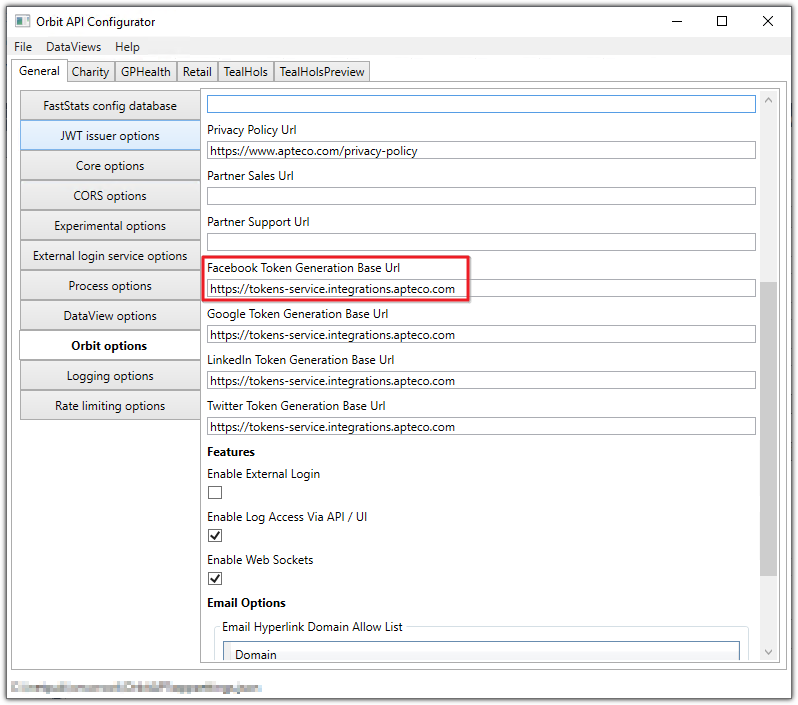
-
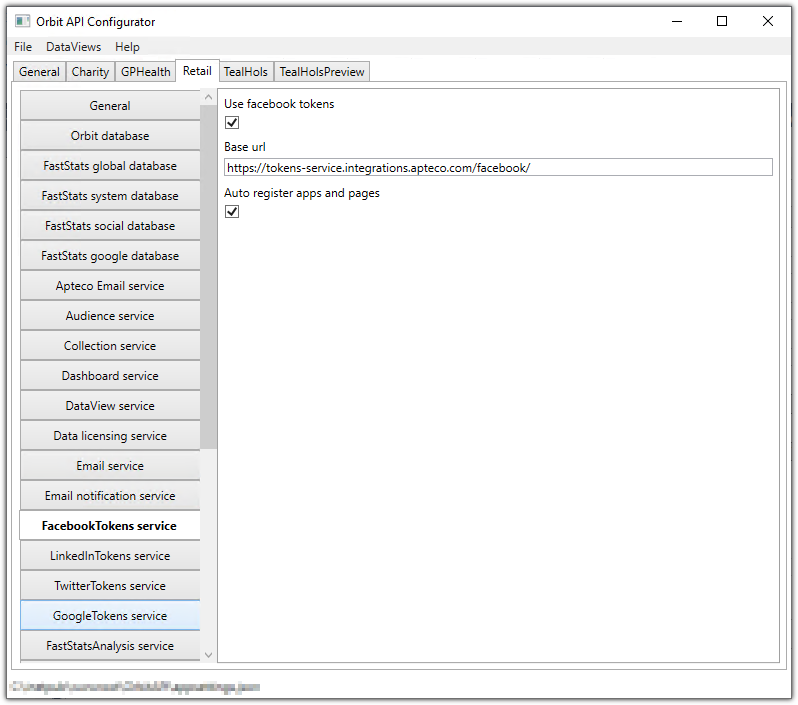
Under the Dataview system tab, in the Facebook Tokens service:
- Select Use Facebook tokens
- Confirm Base URL contains
https://tokens-service.integrations.apteco.com - Select Auto register apps and pages
-
Select Save.
Generating Meta tokens in Orbit
- Select the Profile icon, then select Account settings.
-
Select the Meta (Facebook & WhatsApp) tab.
Note
If you've already configured Facebook, select Update to add WhatsApp. If you haven't previously set up Facebook, select Continue with Meta to connect to Meta, including WhatsApp.
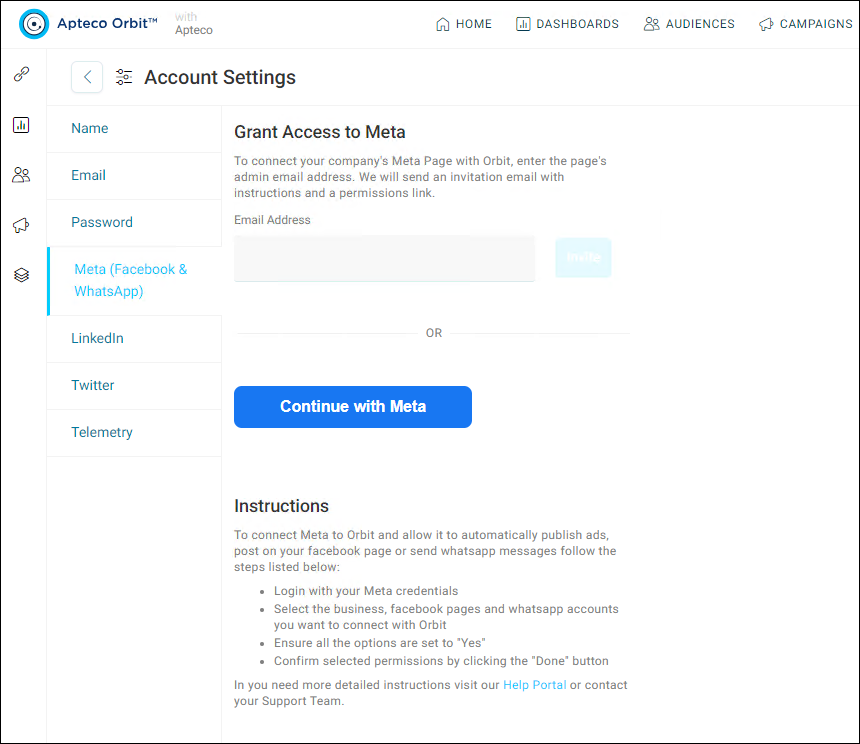
-
If you have previously linked Apteco to Meta, select Edit previous settings. If you haven't previously linked Apteco and Meta, sign in to Meta and then select Edit previous settings.
- Select the Meta businesses you want to connect to Apteco, then select Continue.
- If you already have Facebook Pages connected, leave these checked. If you wish to add Facebook Pages, you can do so now. Select Continue.
- Select the WhatsApp Business accounts for Apteco to use, then select Continue.
- Review the permissions to grant to Apteco. Select Save.
-
You should now receive the message confirming that Apteco is now linked to Facebook (Meta). Select Got It.