Set your home dashboard
Set a home dashboard to display automatically when you open Orbit.
Example
A fundraising manager sets their "Campaign Performance" dashboard as home, so live donation totals are the first thing they see when they open Orbit.
Note
You can only set one dashboard as your home dashboard at a time.
To set your home dashboard:
- Open Orbit and go to Dashboards.
- Find your dashboard using search, sort, or filter.
- Expand the options menu next to your dashboard.
-
Select Set as Home.
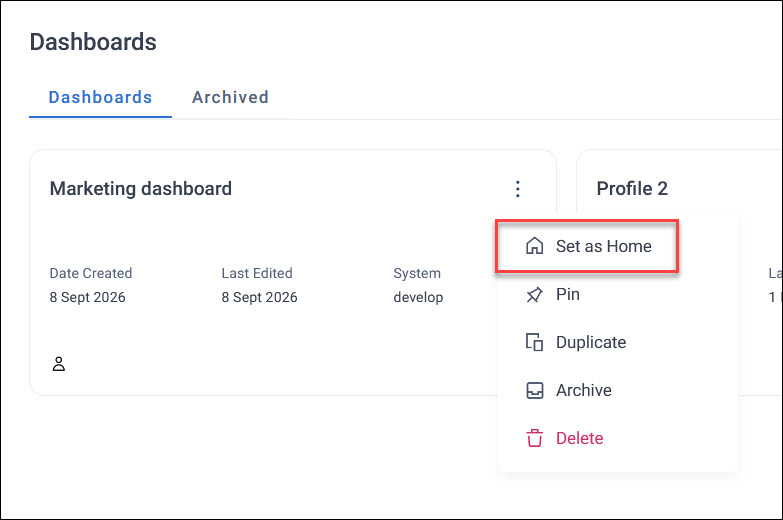
A home icon appears next to your dashboard name, confirming it's now set as your default view.
Returning to your home dashboard
Selecting the Dashboards tab from anywhere in Orbit takes you back to your home dashboard.
If you don't have a home dashboard set, it takes you to the main Dashboards screen instead.