Getting started
Start here if you're new to PeopleStage. This section introduces the main interface and how to organise your campaigns.
The Marketing Processes interface
When you open PeopleStage, you see the Marketing Processes interface. This is where you create, manage, and review all your campaigns.
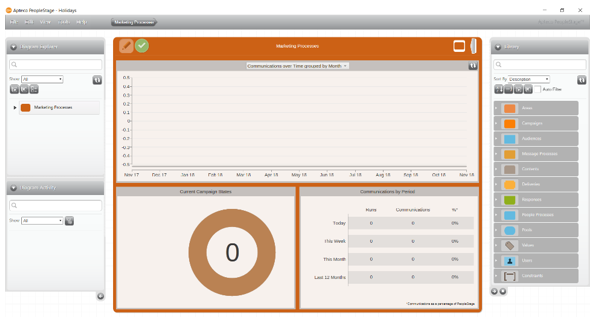
The Marketing Processes dashboard summarises the status of your campaigns and the volume of communications active in your PeopleStage system.
PeopleStage has a zoomable interface, so you can view your marketing processes at whatever level of detail suits you and the task in hand.
Your Marketing Processes diagram is a shared area, so several users can create and manage campaigns together. A typical marketing planning scenario might be:
- A strategic user plans and sketches out processes at a high level
- Other users complete the details of specific campaigns
- Users analyse the results in detail in FastStats
- Once processes have run, the strategic user reviews a high-level summary of marketing effectiveness
In this section
- User interface: The main PeopleStage window, where you plan and run your campaigns
- Organising your diagram: Group related campaigns into areas, and areas into larger areas