Reports in PeopleStage
PeopleStage uses response gatherer engines to report back on digital responses. This could be from an ESP, from Facebook, Twitter or Google.
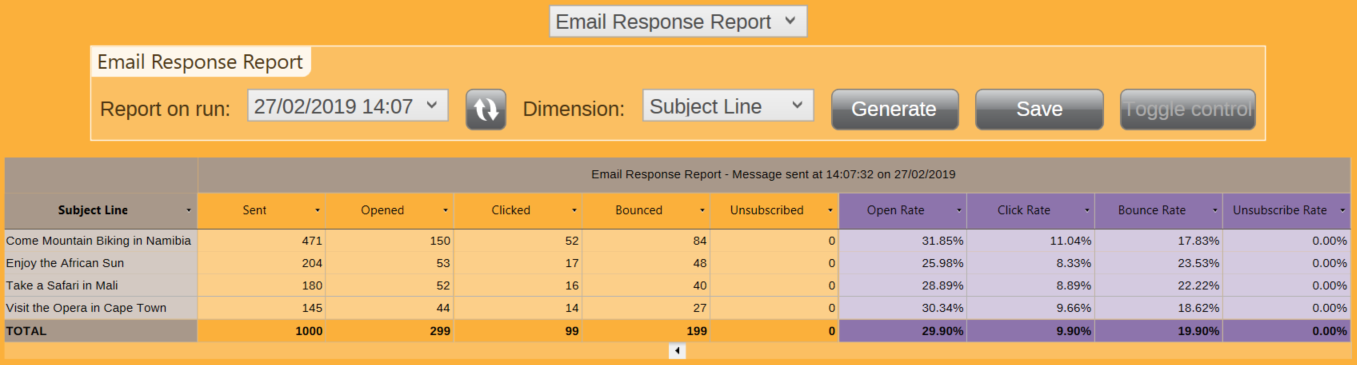
The screenshot above shows the numbers of sent, opened, clicked, bounced and unsubscribed responses for a specific email message within a multi-stage campaign. To access this report:
Accessing response reports
- Click onto the Results view in the top-right corner of the Message step.
- Select the Email Response Report.
- Select the Dimension you wish to report on.
-
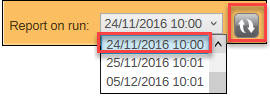
Click on the refresh button and then select your Report on run option.
-
Click Generate.
Note
There is also the Email Response Summary Report at the message level, which summarises all runs of the same message.
Note
There are equivalent reports for Facebook (likes, etc.) and Twitter when using these channels.


For more detail on viewing these reports, see Email response reports.