Getting started with Apteco
Apteco is a marketing intelligence and activation platform that helps you turn customer data into insight, audiences, and action.
Apteco connects with your existing CRM system, data warehouses, and other data sources, without replacing the systems you already use. It brings your customer data together, with the tools to analyse it, build audiences, and activate them across your marketing channels.
What you can do with Apteco
With Apteco, you can:
- Connect: Bring your customer and marketing data together
- Analyse: Explore your data, understand your customers, and uncover insights
- Target: Build audiences using segmentation, analysis, and modelling
- Campaign: Activate personalised, multi-channel campaigns and customer journeys
- Optimise: Learn from campaign results and improve your marketing activity
Apteco AI adds AI assistance to Apteco products. In Orbit, the Orin assistant answers questions about the platform and your data, summarises dashboards, and builds audiences.
The Apteco product suite
 Orbit
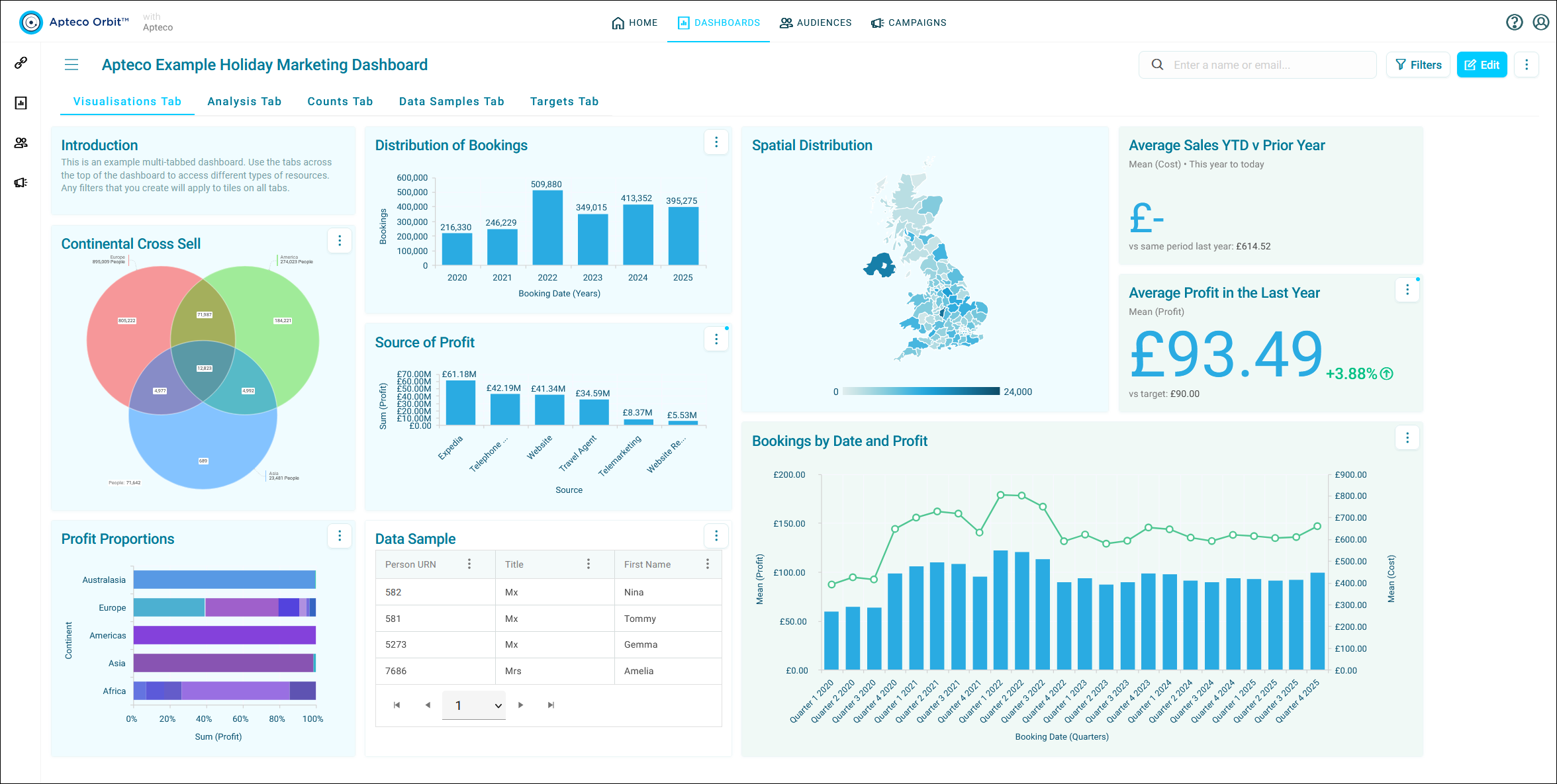
Apteco Orbit is Apteco's web-based marketing platform, and where most users work day to day. It brings data connection, analytics, audience targeting, and campaign activation together in one place. Orbit includes Apteco Email and SMS for sending campaigns, and Orbit Connect for building an Orbit system from your own data. With Orbit Connect, you can also use the optional Apteco CDP, a Customer Data Platform that matches and deduplicates your data into unified customer records.
 FastStats
Apteco FastStats is Apteco's analytics technology, built to explore large datasets at speed. The FastStats Server powers the analysis and segmentation in Orbit and PeopleStage, and the FastStats desktop client gives analysts direct access for in-depth analysis, profiling, and modelling.
 PeopleStage
Apteco PeopleStage is a campaign planning and management tool. Use it to design, automate, and report on multi-channel campaigns, targeted and personalised with FastStats data.
 Designer
FastStats Designer is the administration tool for building FastStats systems. System administrators use it to connect data sources, define the data model, and load the data that Orbit, FastStats, and PeopleStage use. Most Apteco systems start in Designer, although some Orbit-only systems use Orbit Connect instead.
How the products work together
When you explore data or build audiences in Orbit, the FastStats Server does the work behind the scenes. PeopleStage uses FastStats selections to drive complex, multi-channel campaigns.
Find your starting point
- Introduction to Apteco Orbit
- Getting started with Orbit
- Key concepts:
- Apteco Academy: training courses and videos
- Try Apteco software:
- Orbit documentation
- FastStats documentation
- PeopleStage documentation
- Designer documentation
- Apteco release notes
- Apteco Academy: training courses and videos
- Designer documentation
- Admin documentation:
- System requirements, installation, security, and more
- Technical updates and software patches
- Useful contacts: licensing, partner, and support enquiries
- Apteco partner portal
- Technical services
Evaluating Apteco?
If you're evaluating Apteco, or want to explore the platform before connecting your own data, start a free trial or book a demo.