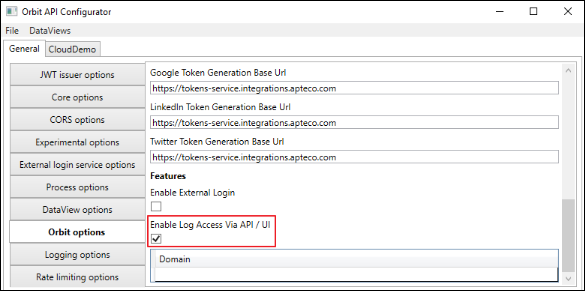
Orbit API log settings and retrieval
The Application Logs page lets you download the last seven days of logged activity for the Orbit API.
Should an issue occur, you no longer need server-side access (via an IT team to the web server) to retrieve log files. This speeds up any investigative process.
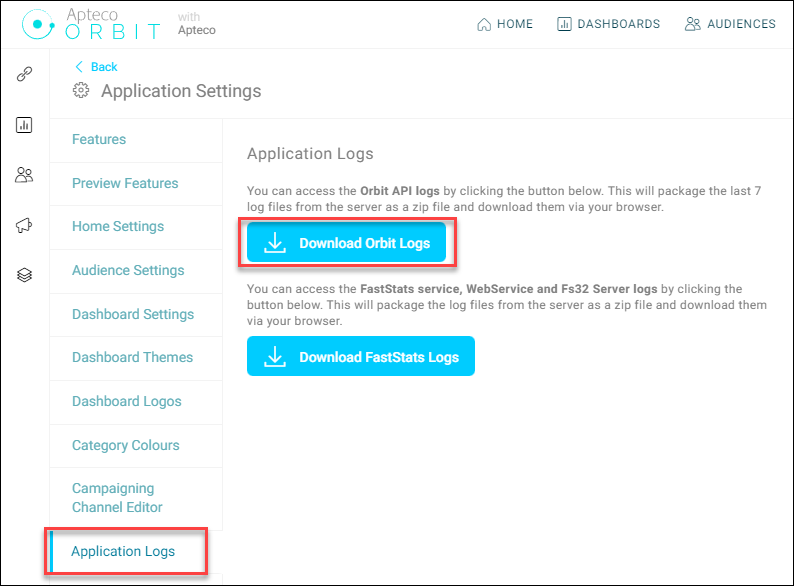
To retrieve the log files, navigate to the Application Logs page within the Application Settings area:
- Select the Package up and download Orbit log files button.
- Select Save to download and save the zip file.