Preview features
Apteco values your help shaping new features in Orbit. You can get early access to preview features in Orbit and provide feedback to the development team.
Preview features are off by default, and Orbit administrators must turn them on for them to become visible and usable. Orbit administrators can enable preview features using the application settings menu.
To enable a preview feature:
- Select the User icon in the top right of your screen, and select Application Settings.
-
Via Application Settings > Preview Features, use the Toggle switch to enable the required preview feature.
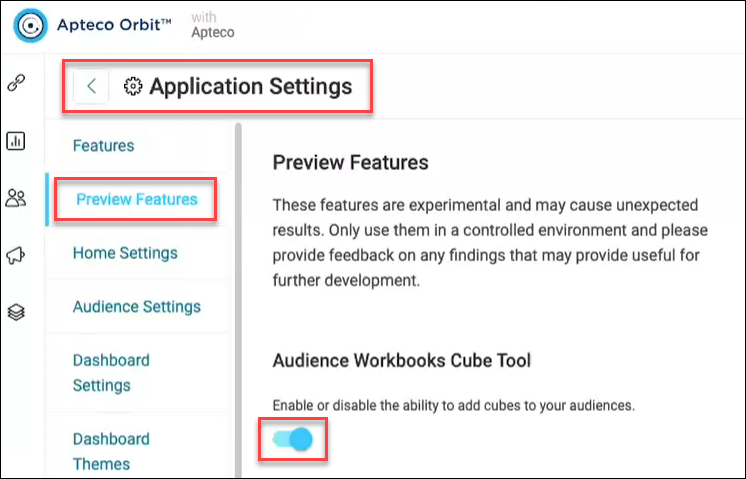
-
Refresh your browser, and log out/then back in from your Orbit session. You can now access the selected preview feature.
Note
Depending on the feature, Orbit administrators can also apply preview features to users, groups, and systems. To learn more about managing access across Orbit, see Roles and rights.